A/B tests
An A/B test is a control arm against its variants, each person counted once per arm.
Ask your agent
The same prompt the A/B test card hands out under How to add, with your own install command and your own event name in it. Paste it into your coding agent.
Add an UpControl A/B test "checkout CTA" to this app, with a control arm first and one variant. First read npx upcontrol skills experiment. Then run npx upcontrol (it saves this project's key to a gitignored .env without printing it). Do not assign the arms: use whatever this app already uses to choose them (a flag, a cookie, a config), and if nothing chooses an arm, tell me instead of inventing one. Call expose() with the chosen arm where the arm is decided, and convert() where the conversion happens. Both take the ARM as their first argument, never the name of the goal, and both take the same person id: the SDK drops any arm it was not declared with. The card compares each arm with control, and only an arm named exactly "control" counts as one: name it so, or the card shows the arms and compares nothing. When the app has run once, run npx upcontrol verify.Build the card
- On the dashboard press
Add widget, pickA/B test, thenNext. - Pick the one event the test rides. The arms are not picked here: they come off the event.
- Name the card and press
Add widget.
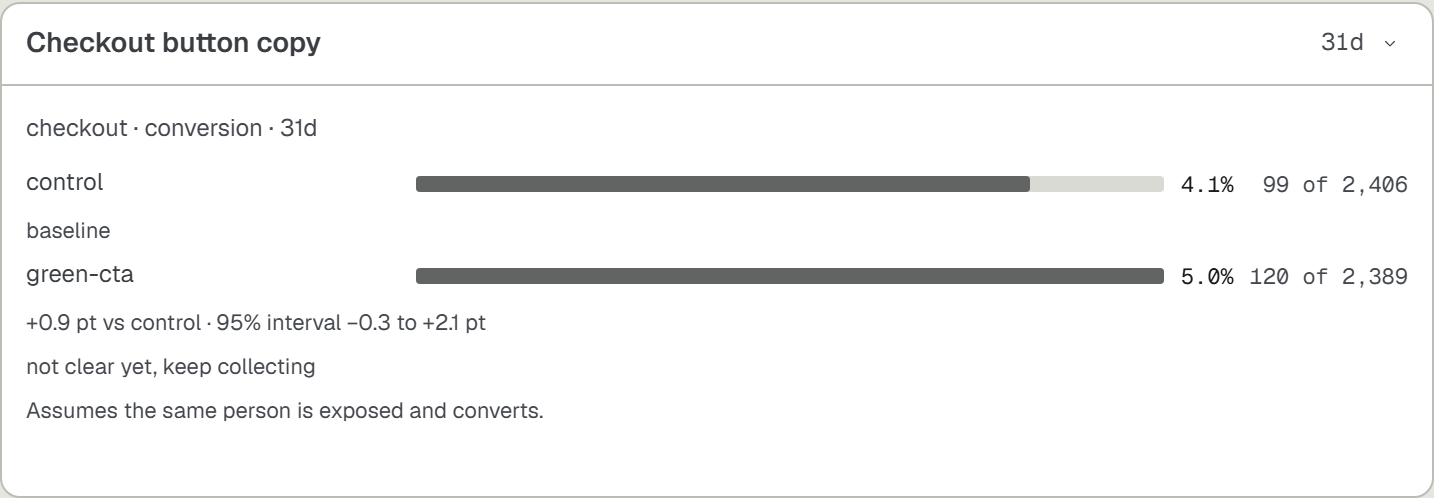
What the arms ride on
- The arms travel on the event as
uc.variant, and what happened to that person asuc.stat, whose values areexposedandconverted. - Two to eight arms, each 1 to 40 characters, and the control arm is named exactly
control: without one the card shows the arms and compares nothing. - The SDK never assigns an arm: whatever the app already uses to choose one (a flag, a cookie, a config) is what
expose()is told about. - Both
expose()andconvert()take that arm as their first argument, never the name of the goal, and the same person id: an arm the test was not declared with is dropped, so the exposures arrive and the conversions never do.
import { experiment } from '@upcontrol/sdk';export const checkoutCta = experiment('checkout CTA', ['control', 'B']);// Where the app's own assignment decided the arm:checkoutCta.expose(arm, 'u_' + user.id);// In the payment success branch, with the SAME arm they were exposed to:checkoutCta.convert(arm, 'u_' + user.id);