Breakdowns
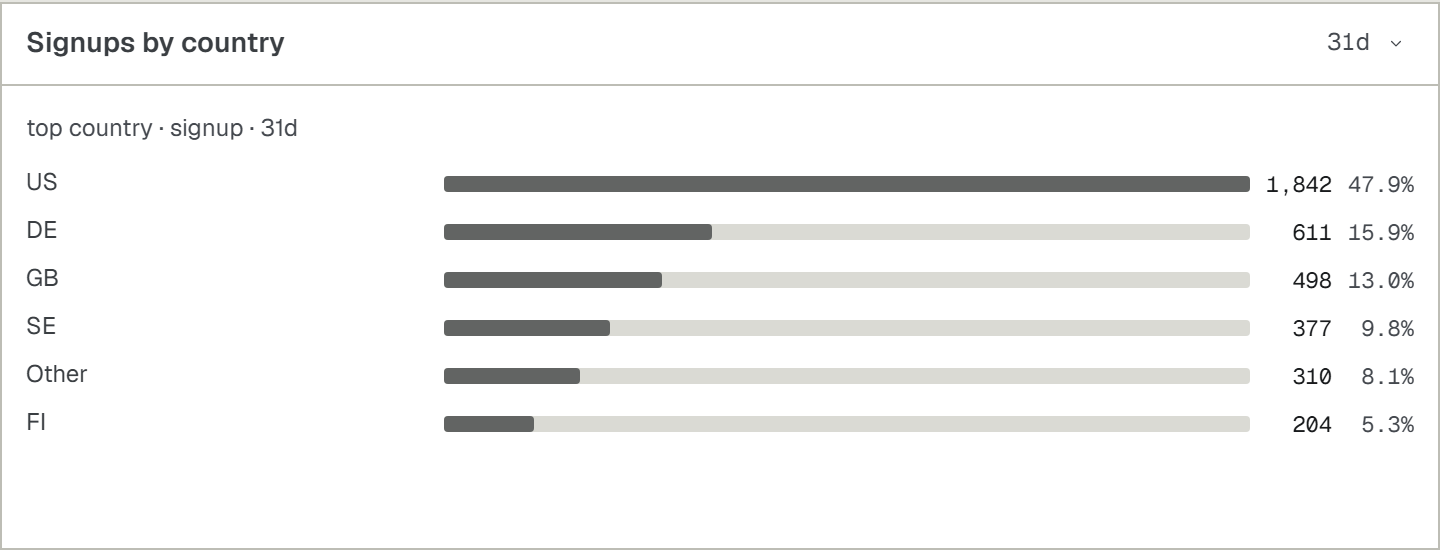
The top values of one dimension, ranked by people or by how often they happen.
Ask your agent
The same prompt the Breakdown card hands out under How to add, with your own install command and your own dimension in it. Paste it into your coding agent.
Add an UpControl breakdown "page" to this app, folded by value. First read npx upcontrol skills breakdown. Then run npx upcontrol (it saves this project's key to a gitignored .env without printing it). Call value() at the moment the thing happens, with the value of the dimension. Normalise the value first so it is bounded: a path pattern rather than a full URL, a status class rather than a raw id. An unbounded value ranks a thousand rows of one and says nothing. Pass this app's stable person id as the second argument to value(): the card counts distinct people, and a value with nobody behind it is counted as nothing at all. When the app has run once, run npx upcontrol verify.Build the card
- On the dashboard press
Add widget, pickBreakdown, thenNext. - Pick the one event the dimension rides, then one of that event's own fields to fold it by.
- Pick the axis:
Peoplecounts each person once,Eventscounts every occurrence. - Name the card and press
Add widget.
Keep the values bounded
value()takes the value of the dimension at the moment the thing happens.- Normalise it first: a path pattern rather than a full URL with its query string, a status class rather than a raw id.
- An unbounded value ranks a thousand rows of one and says nothing.
- Pick
Eventsfor a dimension nobody is behind, such as a delivery outcome or an HTTP status: counted as people it reads 0, because every people read needs an actor.
import { breakdown } from '@upcontrol/sdk';export const pages = breakdown('page');// Counts occurrences:pages.value('/pricing');// Counts distinct people instead:pages.value('/pricing', 'u_' + user.id);
Table
One event's values by one of its fields, with a column per number. Pick Table under Add widget, then the event, the field and, when the event carries money, a currency under Revenue in. Every header sorts the rows by its column.
- The value: one of the picked field's values, the field's name over the column.
Events: how many times the event happened with that value. The rows are ranked by it until another header is pressed.People: the distinct people behind those events.Revenue: the money those events carried, in the one currency picked underRevenue in. Two currencies are never added together.Share: the value's events as a part of all of them. A narrow card drops it first, thenPeople.
- Money rides the event as
uc.amount, in minor units (cents for USD, whole yen for JPY), anduc.currency, its ISO code. - Send it from the server with the project's key, where the payment is confirmed. A browser holds only a public key, and the money a public key sends is dropped.
- One event per successful payment; a refund is the same event with a negative amount.
- Until an event carries money,
Revenue inis not offered, and the card'sHow to addprompt also teaches your agent to send it.
The prompt the Revenue picks on a stat, a line or a bar hand out while no event carries money:
Add UpControl revenue tracking to this app. First read npx upcontrol skills wire. Then run npx upcontrol (it saves this project's key to a gitignored .env without printing it). Find where the backend confirms a payment: the payment provider's webhook or the checkout success handler. There, send track('payment', { 'uc.amount': <amount in minor units>, 'uc.currency': '<ISO code>', plan: <plan id> }) from the SERVER with this project's key, never from the browser: the money a public key sends is dropped. Send one event per successful payment, and a refund as the same event with a negative amount. When the app has run once, run npx upcontrol verify.