Install in one command
One command sets up your coding agent to add logs and events to your app. Incidents then carry the log lines and deploys around the failure.
Run it
npx upcontrol- Installs the upcontrol skill for your agent: Claude Code, Cursor, Codex, Gemini CLI, Copilot, Windsurf, Amp, Aider, Cline or opencode.
- Adds
@upcontrol/sdkto package.json, pinned to an exact version. - Creates a key and writes it to
.env, after checking.envis gitignored. It never prints the key. - Never edits your code. Your agent does that, in a diff you review.
Already have an account? Copy the one-time command from the Connect page instead. It adds a key to your project without touching the ones you have:
npx upcontrol init --token uct_...Flags
--token <uct_...>the one-time token from the Connect page, valid for 24 hours.--key <uc_live_...>use a key you already have.--no-keyskip the key.--copilotalso install the skill for GitHub Copilot.--endpoint <url>point at a self-hosted instance (or setUPCONTROL_ENDPOINT).--jsonprint one JSON line instead of text, for CI and agents.
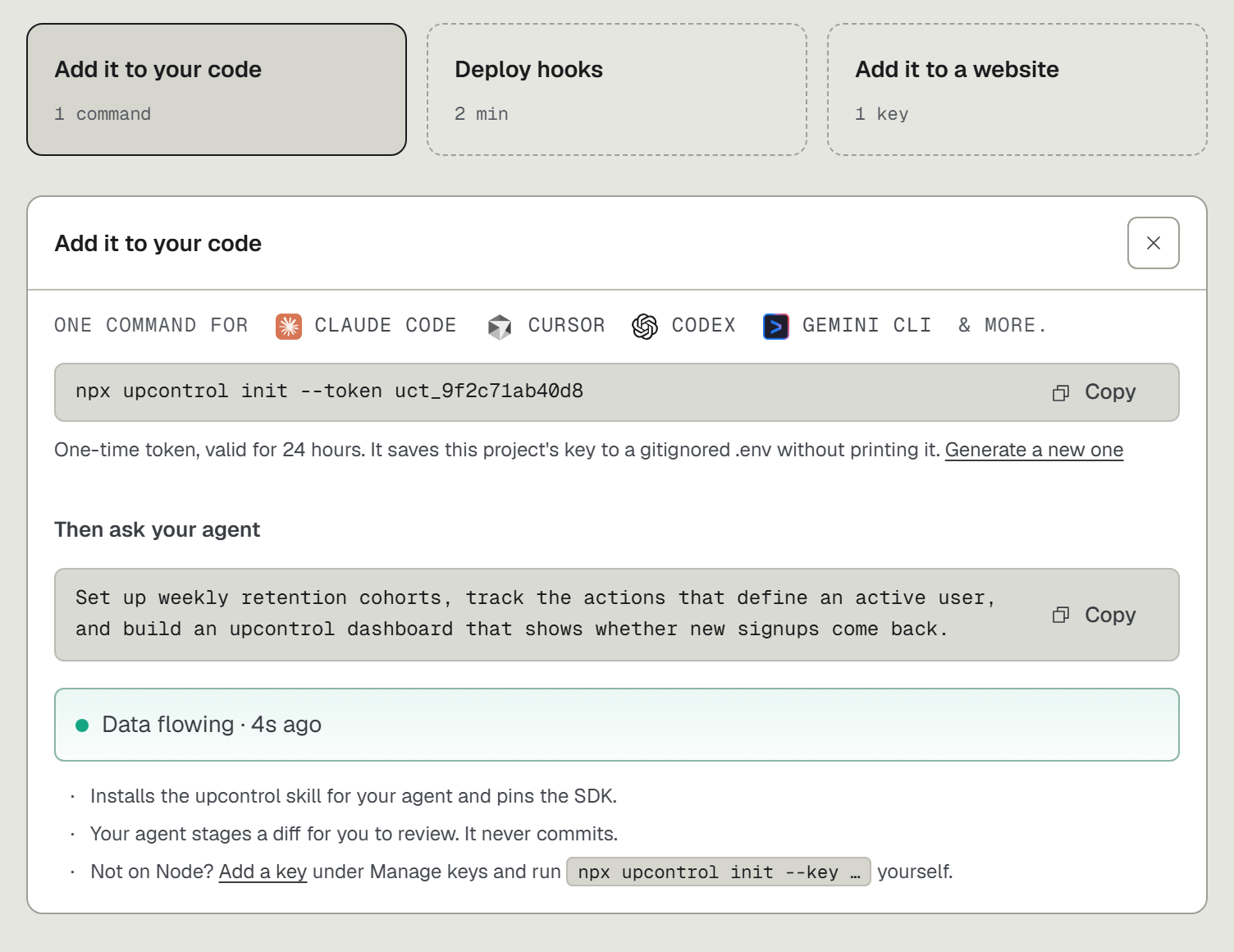
Then ask your agent
Paste one of these, or describe your own goal. The agent stages a diff for your review and never commits.
Five goals to start fromNo goal yet? Say so. The agent suggests one from your code, like payments if it finds Stripe.
Track the journey from first visit to purchase and build an upcontrol dashboard that shows where customers drop off: the funnel, plus whatever widgets help explain the drop.Track visitor-to-signup conversion for every CTA on the site and build an upcontrol dashboard that shows which CTAs bring in leads who actually activate.Set up weekly retention cohorts, track the actions that define an active user, and build an upcontrol dashboard that shows whether new signups come back.Set up an A/B test on the pricing page CTA, track both variants through to payment, and add a card to my upcontrol dashboard that shows which one wins.Track the money path end to end: checkout, failed payments, refunds and cancellations. Then build an upcontrol dashboard that shows where revenue leaks.Verify
Once the app has run with the key in place:
npx upcontrol verify
0 means data arrived. 2 no key, 3 can't reach upcontrol, 4 key rejected or nothing arrived in 120 seconds (--timeout changes that).
Still stuck? Send one line by hand. {"accepted":1} means the key works:
curl -X POST https://upcontrol.io/i \-H "X-Upcontrol-Key: $UPCONTROL_API_KEY" \-H "Content-Type: application/x-ndjson" \--data-binary '{"msg":"hello from curl","level":"info"}'
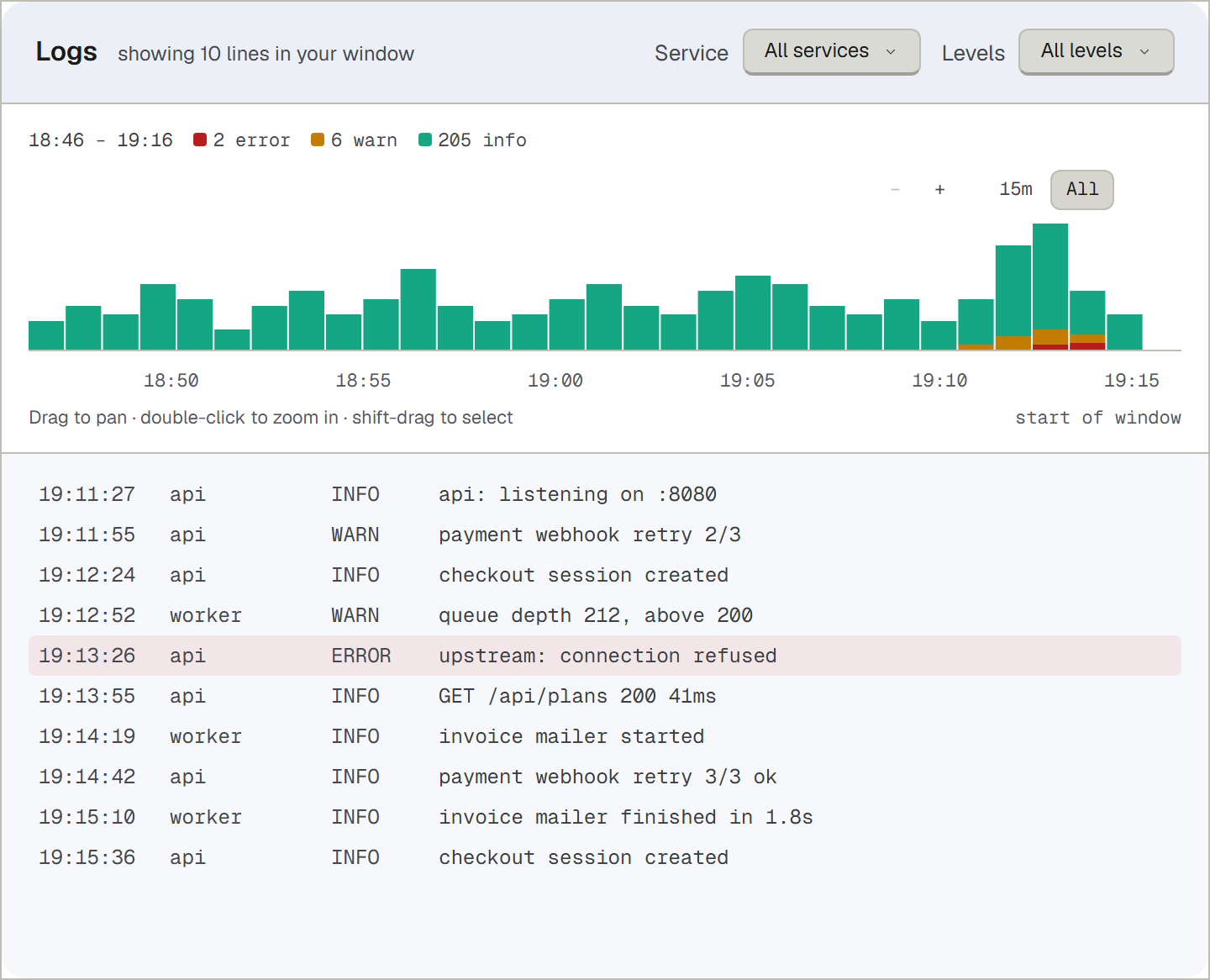
Other commands
npx upcontrol statuswhere the key was found, and whether upcontrol is reachable.npx upcontrol skills [topic]the reference your agent reads.wireis the raw HTTP format, for apps not on Node.npx upcontrol boardprints a dashboard as JSON.--listlists the project's boards;--board <id|name>picks one;--new <name>creates one.--add cards.jsonappends cards;--apply board.jsonreplaces the board. A board you edited in the app is never overwritten: the new layout waits for your review.