Funnels
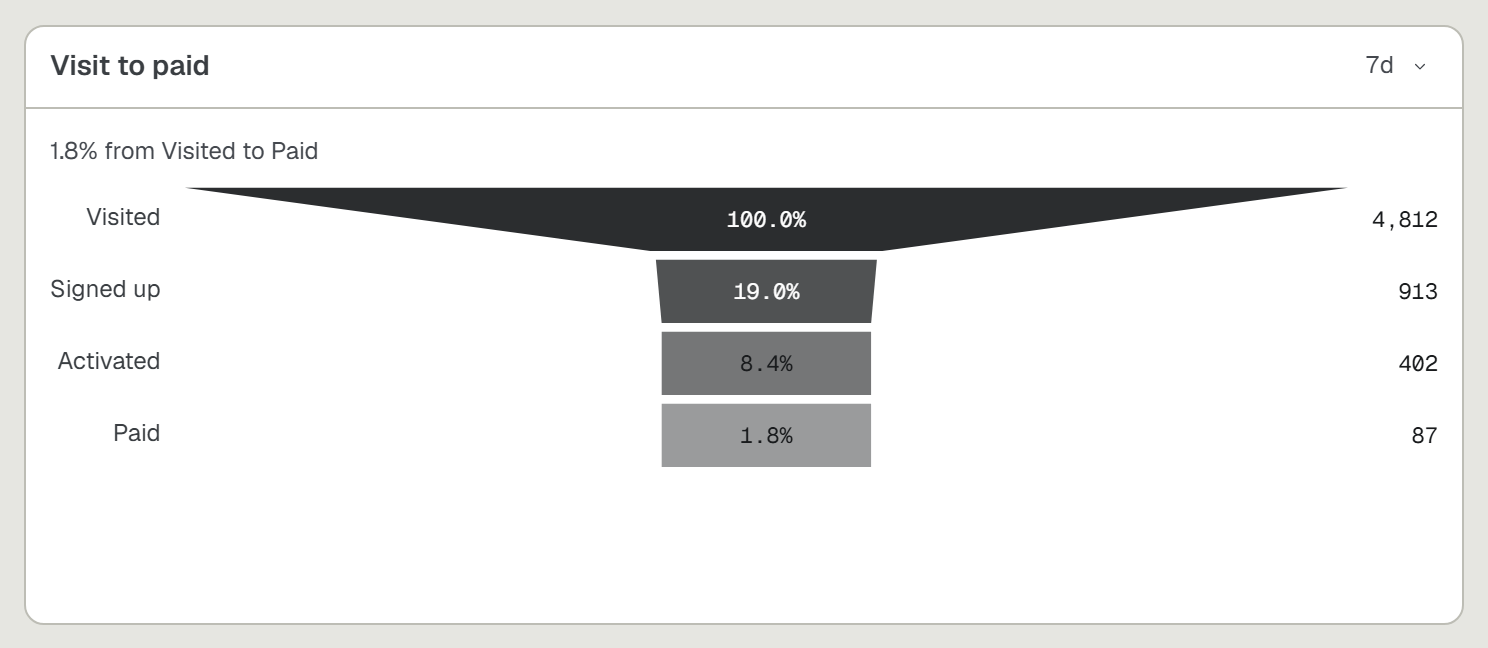
A journey counted step by step, once per person. You send one event per step; the card draws how many people reached each one.
Ask your agent
The same prompt the Funnel card hands out under How to add, with your own install command and your own step names in it. Paste it into your coding agent.
Add UpControl tracking for this funnel, in this order: visit, signup, checkout, paid. First read npx upcontrol skills funnel. Then run npx upcontrol (it saves this project's key to a gitignored .env without printing it). Send one event per step, named exactly as above, at the moment a person reaches that step. Put the same person's id on every one of them, or the steps cannot be joined into one journey. When the app has run once, run npx upcontrol verify.Build the card
- On the dashboard press
Add widget, pickFunnel, thenNext. - Press an event to make it the first step, then the next, and so on. Each press adds to the end.
- Wrong order? Drag a step where it belongs. On a phone use the arrows in its row.
- Name the card and press
Add widget. The steps save in the order you left them.
Only events this project has already received are offered, so send one of each before you build the card, or there is nothing to pick.
Pages as steps
Once the site script reports page views, the step list also offers Pages, your 20 busiest paths. A page step is the page view narrowed to that one path, so a journey can read Page /pricing, then cta_click, then Page /signup. The card stores the path beside its step:
{"source": "people","steps": ["uc.pageview", "cta_click", "uc.pageview"],"stepWhere": [{"path": "/pricing"}, {}, {"path": "/signup"}]}
A Breakdown answers the two questions around one page. Pick uc.pageview, rank from and add Only where path = /pricing: where its visitors came from. Rank path with from = /pricing instead: where they went next.
A click on an element carrying data-uc-event="cta_click", or upcontrol('track', 'cta_click') from your code, is an event with the same visitor as the page views, so it joins them in one funnel. That visitor is the site script's daily one, and that is the ceiling: a journey that spans two days reads as two people and does not join.
Read it
- Each bar is the number of DISTINCT people with that event in the range, counted once however many times they did it.
- The order is your claim, not a measurement. A person counts at a step if they have that event at all, whether or not they reached the steps before it. The SDK never enforced an order either, and a number that quietly changed meaning would be worse than a loose one.
- So a later step can read higher than an earlier one. That is a real answer: people arriving by another door, not a bug.
- The range control reads back as far as your plan keeps. A deeper one is a paid wall, not a clipped answer.
Send the events yourself
What the prompt above tells your agent to do, if you would rather do it by hand.
- Two to twelve steps. Each name is 1 to 40 characters, and it IS the event name on the wire.
- Every step of one journey carries the same person on
uc.actor. Without it the steps are four unrelated counts. - Prefix your ids (
u_1042, not1042): a bare 13 to 19 digit number is scrubbed as a card number. - An event with no actor is a real event with nobody behind it, and a funnel never counts it.
import { funnel } from '@upcontrol/sdk';export const visitToPaid = funnel('visit to paid', ['visit', 'signup', 'checkout', 'paid']);// Anonymous: pass the request and the SDK reads the address and user-agent off it.app.use((req, res, next) => { visitToPaid.step('visit', req); next(); });// Signed in: pass the person, and every later step joins to the same journey.visitToPaid.step('signup', 'u_' + user.id);
Off Node, one line of JSON is the whole SDK:
POST /i{"msg":"signup","uc.event":true,"uc.actor":"u_1042"}