PostHog alternative for a small product: analytics next to uptime, logs and a status page
3 min read · published 2026-10-19
The short version
PostHog is where a lot of teams learn what their users do. If you run one small product, you also need to know when it is down and why it broke, and PostHog does not do either. This post is about a smaller tool that covers product analytics and uptime in one place, and about the parts where PostHog goes further than we do.
UpControl answers three questions for one product: is it up, why did it break, and what are users doing. A coding agent wires the tracking for you, and the same account gives you checks, a public status page, application logs and funnels.
| PostHog | UpControl | |
|---|---|---|
| Built for | Product analytics, at any team size | One small product, up and understood |
| Pricing | Usage-based, per event and recording | Flat plans: Free, then $11/month ($9 annual) |
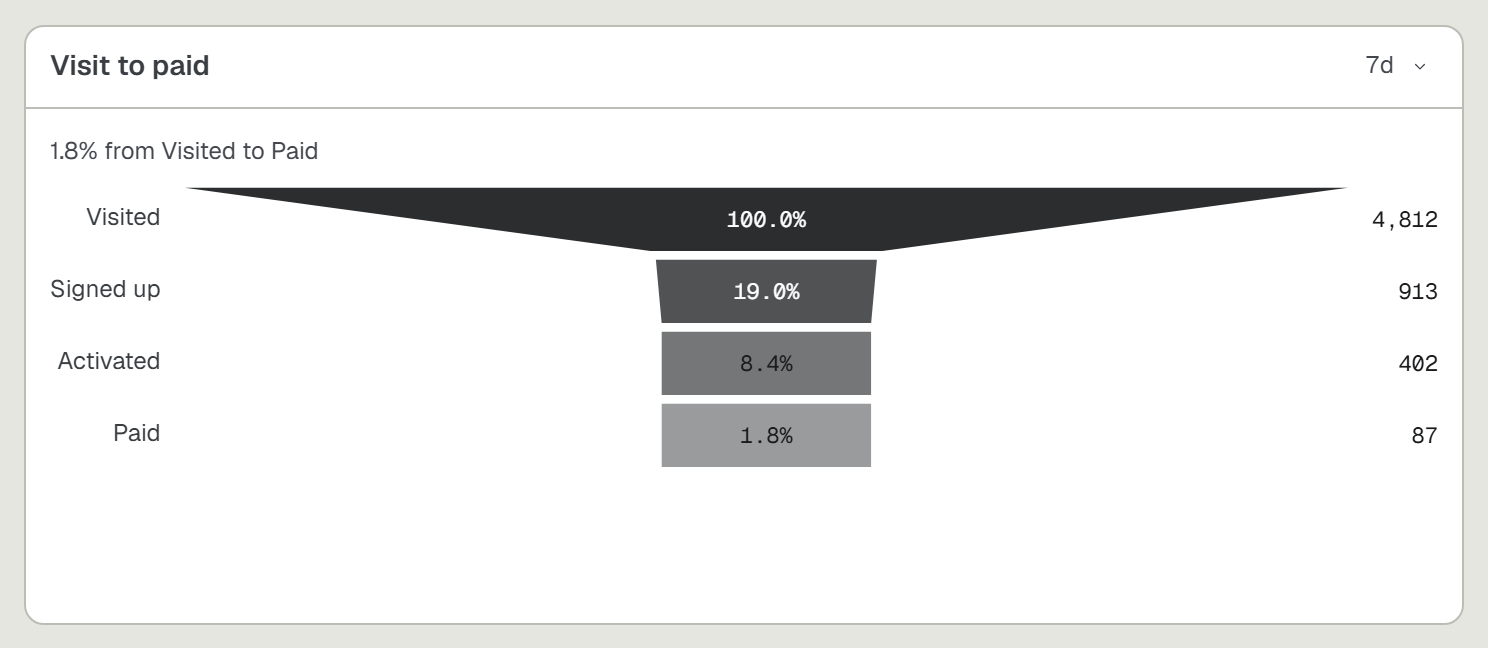
| Funnels, retention, A/B tests | Yes, deep | Yes, built from your events |
| Session replay | Yes | No |
| Feature flags | Yes | No |
| Uptime checks | No | Every 5 minutes on Free, every minute on paid |
| Public status page | No | Yes, free, from the moment you type a domain |
| App logs and deploy correlation | No | Yes, one ingest endpoint |
| Web analytics and heatmaps | Yes, from sessions and replays | Yes, one script tag, no cookies |
| Self-hosting | Yes, a larger stack | Yes, AGPL-3.0, one compose file, a 1 GB box |
If you came for experiments and session replay alone, PostHog is hard to beat and this post will not pretend otherwise. The case for switching is the rest of the list: the monitoring that sits around your analytics so an incident page carries the deploy, the log lines and the funnel drop in one account.
Where UpControl is better
- One incident with the why. A check opens an incident titled with the cause, like "Checkout returning 502", and the page carries the deploy and the log lines from those minutes. A funnel that dips needs no archaeology next to it.
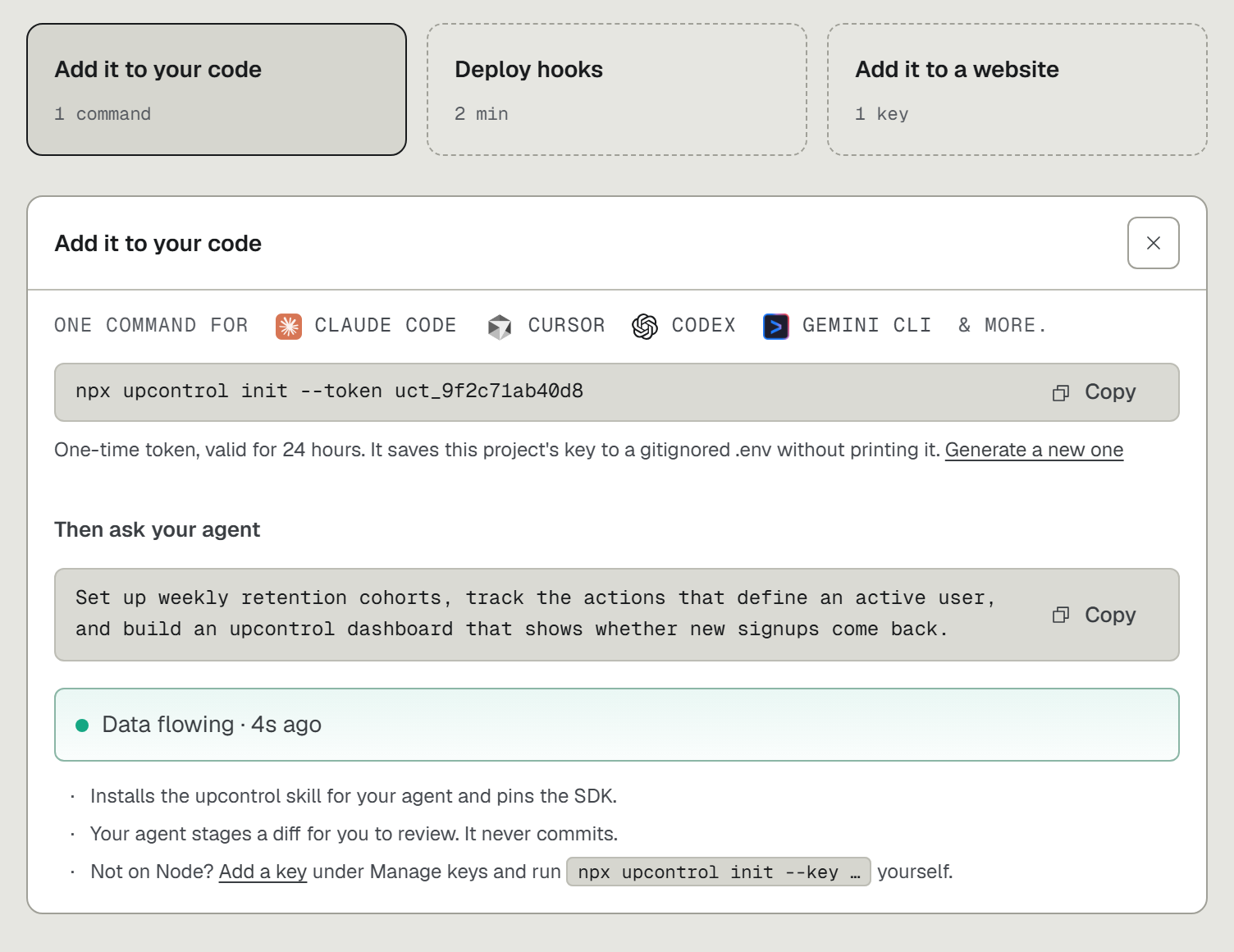
- Your coding agent does the wiring. Run
npx upcontroland ask in plain words: "track my users from first visit to purchase". Ten agents are supported, among them Claude Code, Cursor and Codex. No tracking code written by hand. - Uptime and status pages included. Checks every minute on paid plans, SSL and domain expiry watched on every check, a public status page your customers can open, and heartbeats for cron jobs that are free and never counted toward the check limit.
- A bill you can read. Flat plans: Free, Indie $11, Growth $24, Agency $49 per month. An event spike does not change the invoice, and the free plan is a plan, not a trial.
- Self-hosting that fits a small box. The full core is AGPL-3.0 and runs from one compose file with 1 GB of RAM, with zero telemetry in the open-source build.
Where PostHog is better
- Session replay. We do not record sessions at all. Our heatmaps cover clicks, rage clicks and scroll on your plan's busiest pages, at most 31 days back, and that is the whole of it. If you watch individual sessions to debug UX, stay with PostHog.
- Feature flags and experiments, deeply. We build A/B tests from your events and order the arms, but we have no flag system, no rollout percentages and no server-side SDK. PostHog has years of work there.
- Analytics depth and history. Trends, paths, cohorts and long horizons. Our analytics is young and our web history reaches back at most 31 days; tools built for analytics alone go deeper and further back.
- Integrations. PostHog plugs into more of everything, being older and larger.
Switching from PostHog in five minutes
- Open upcontrol.io and type your domain. A public status page for it exists from that moment, claimable by you, with no account.
- Run
npx upcontrolin your repo. Tell the agent which events matter: sign-up, activation, purchase. The funnels, retention grids and A/B reads appear as dashboard cards. - Keep PostHog running for the sessions while the events land in both. When the dashboard answers your questions without a replay, drop the second bill.
The free plan carries 3 checks, funnels and heatmaps included: https://upcontrol.io/?utm_source=blog&utm_medium=vs&utm_campaign=engine