Status page examples: what a good one shows
4 min read · published 2026-10-21
The famous four, and what to copy from each
You are about to put a status page up, and before you build one you want to see what a good page carries. Fair. These four get linked whenever somebody asks for an example, and each one answers a different question.
| Page | What to copy from it |
|---|---|
| GitHub (githubstatus.com) | Components. The site, the API, git operations, each with its own status and history. When one breaks, the page can say so while the others stay green. |
| Cloudflare (cloudflarestatus.com) | Honesty about scope. A global network does not break all at once, so the page leads with the date, a map of where an incident was felt, and a region-by-region component list. |
| Stripe (status.stripe.com) | Per-product rows. Payments, billing, radar, dashboards: separate components, each with its own availability figure. A customer can tell whether the part they depend on was affected. |
| Google (status.cloud.google.com) | History. A plain directory of every service, each with its own incident record going back years. |
Google page is the least designed of the four and it works, because history is the part young pages skip and the part that earns trust. A page that only shows today cannot be checked against anything.
Live pages on UpControl
Every site we watch gets a public page at upcontrol.io/status/<host>, and 143 of them were live as of 2026-10-21. A few you can open right now: fina-money, cloudreleases-io and loomton-com, each under /status/ on upcontrol.io.
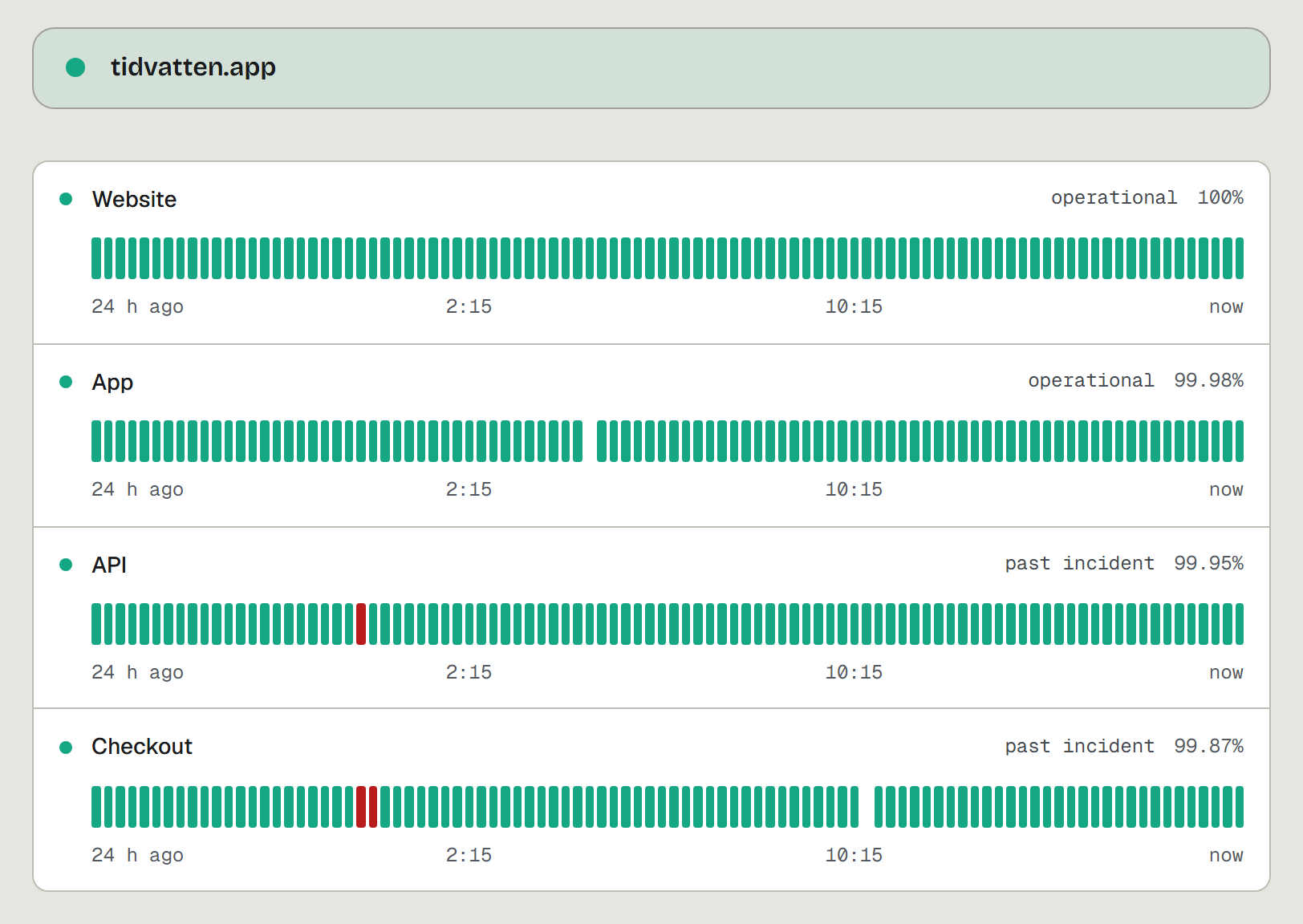
Each page shows one row per component with its recent checks, the uptime figure, and the incident history. Incidents carry their cause in the title, "Checkout returning 502" rather than "Incident #4711", because the checks that open them are part of the same product. Nobody types an incident into the page; it appears when the checks find it.
Where the big pages win
- Subscriber notifications. A customer cannot subscribe to our page by email. Team alerts land in Telegram, Slack, Discord or email; the page itself has no subscriber list.
- Depth of history. Incident history on our plans keeps 10 days on Free and up to 48 months on the largest paid plan. Google directory goes back a decade.
- Regional detail. Our checks run from the fleet's regions and store the response phases per check, but the public page does not draw a world map or name the region that hurts.
- Your own domain. A custom domain is a paid feature; on the free plan the page lives under upcontrol.io/status/your-site, which is a perfectly good address for a side project.
Make one in under a minute
- Open upcontrol.io and type your domain. The public status page exists from that moment, checked from outside, no account needed.
- Claim the page from its own link to move it into your account.
- Add a check per component customers depend on. SSL and domain expiry are watched on every check, on every plan.
- Pick where your team's alerts go, so you hear about the failure before a customer reads the page.
If the product runs on a server you own, the whole thing also self-hosts from one compose file, AGPL, with the same pages.
See a page before you build yours
Type your domain at upcontrol.io and the page is live before this tab closes: https://upcontrol.io/?utm_source=blog&utm_medium=vs&utm_campaign=engine