Sentry alternative for a small product: errors, uptime and the why on one page
3 min read · published 2026-10-20
The short version
Sentry shows you the exception, down to the frames. For a lot of small products the next question is what else happened: was the site even up, did a deploy land right before the errors started, what did customers see. This post is about a smaller tool that puts application logs next to uptime checks, and about the parts where Sentry goes further than we do.
UpControl answers three questions for one product: is it up, why did it break, and what did users run into. A coding agent wires the logging for you, and the same account carries checks, a public status page, raw logs and product events.
| Sentry | UpControl | |
|---|---|---|
| Built for | Error tracking and crash reporting, any team size | One small product, up and understood |
| Pricing | Usage-based, on errors and events | Flat plans: Free, then $11/month ($9 annual) |
| Error capture | Exceptions with stack traces, grouped per issue | Log lines from one ingest endpoint, alerts on new errors |
| Uptime checks | Basic uptime monitoring, not the core of it | Every 5 minutes on Free, every minute on paid |
| Public status page | No | Yes, free, from the moment you type a domain |
| Deploy correlation | Releases tied to commits | The deploy on the incident timeline, next to the log lines |
| Scheduled jobs | Cron monitors | Heartbeats, free and never counted toward the check limit |
| SDKs | Official SDKs for most languages | Node SDK; any sender speaks plain NDJSON |
| Self-hosting | Yes, a larger stack | Yes, AGPL-3.0, one compose file, a 1 GB box |
If your day is triaging exception groups and chasing regressions across releases, Sentry is built for exactly that and this post will not pretend otherwise. The case for switching is the around-the-error picture: the check that failed, the deploy that landed before it and the status page your customers open, in one account with the logs.
Where UpControl is better
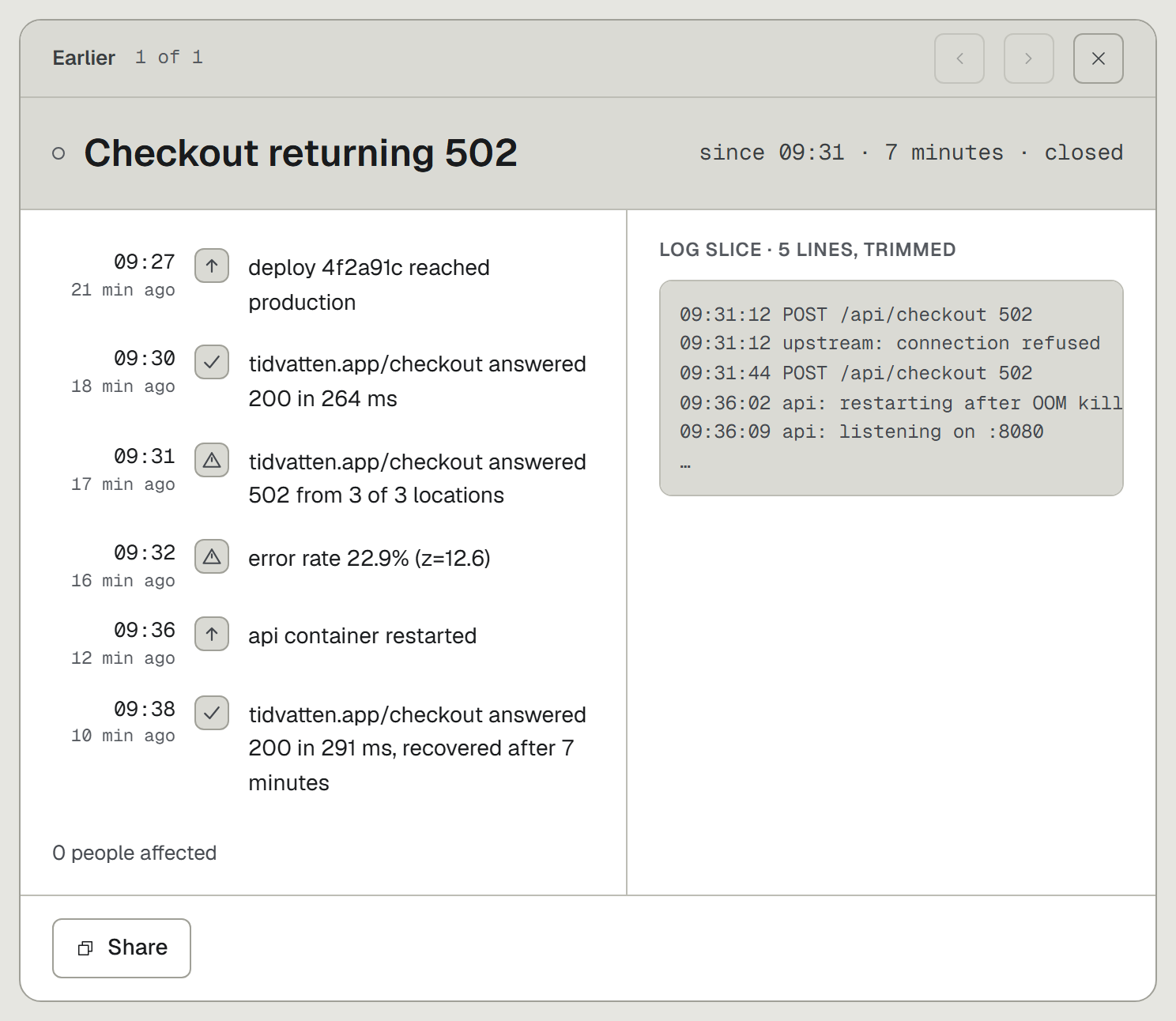
- The error arrives with its context. An alert fires on new errors in your logs, and the incident page carries the deploy and the failing check next to the log lines from those minutes. The stack trace tells you the code path; this tells you the blast radius too.
- Checks and a status page in the same account. A check opens an incident titled with the cause, like "Checkout returning 502", and the public status page is there for your customers, free, with uptime history on it.
- Your coding agent does the wiring. Run
npx upcontroland ask in plain words for the logging and the events you want. Ten agents are supported, among them Claude Code, Cursor and Codex. No shipper config written by hand. - A bill you can read. Free plan with 3 checks and a 24-hour live log window; Indie $11, Growth $24, Agency $49 per month. An error spike does not change the invoice, and teammates who change settings are free on every plan.
- Self-hosting that fits a small box. The full core is AGPL-3.0 and runs from one compose file with 1 GB of RAM, with zero telemetry in the open-source build.
Where Sentry is better
- Stack traces and issue workflow. Sentry groups exceptions per issue, marks regressions, tracks resolved state and symbolicates native frames. UpControl ingests log lines; there is no per-issue triage flow and no symbolication.
- Release mining. Commits behind a release, suspect commits, files touched when it broke. We put the deploy on the timeline and stop there.
- Performance tracing. Spans, transactions and profiling at the code level. We store response phases per check, dns, tcp, tls and wait, which answers "was it slow to connect" and nothing at the function level.
- SDK breadth and integrations. Official SDKs for most languages and a decade of integrations. We ship a Node SDK, and any other sender speaks the plain NDJSON wire with no SDK at all.
Switching from Sentry in five minutes
- Open upcontrol.io and type your domain. A public status page for it exists from that moment, claimable by you, with no account.
- Run
npx upcontrolin your repo. Tell the agent what to log and which events matter. Errors begin landing with the deploys and checks around them. - Keep Sentry for the traces while both run. When an incident page answers your question without a symbolicated stack, drop the second bill.
The free plan carries 3 checks, heartbeats and a 24-hour log window: https://upcontrol.io/?utm_source=blog&utm_medium=vs&utm_campaign=engine